
TLDR: To use AI assistants effectively, approach them strategically—refine prompts, iterate on responses, and treat them as collaborative tools rather than passive responders. Different prompting techniques can tailor AI outputs for research, writing, and brainstorming, making interactions more productive and insightful. By guiding AI purposefully, users can streamline content creation while ensuring accuracy and relevance.
Next Topic:
As AI technology becomes more prevalent, developing the skills to use AI assistants effectively is increasingly valuable. Many people mistakenly assume that interacting with AI is a simple one-step process—asking a question, receiving an answer, and immediately applying it without further refinement. However, truly effective AI usage requires a more strategic approach. The key is to utilize deliberate prompting techniques and engage with AI as a collaborative tool rather than a passive responder. By crafting well-structured prompts, refining responses, and iterating on solutions, users can unlock AI’s full potential and achieve more meaningful, high-quality outcomes.
Strategic Prompting
Depending on your goals, your approach to using an AI assistant may vary. However, there are several guiding principles that can help maximize effectiveness:
- Define a Role for Context – Providing the AI with a role enhances relevance and focus. For example, instead of simply requesting information, you can frame your prompt as: “You are assisting with research for a Grade 12 butterfly science project.” This helps the AI generate responses that align with the intended audience and purpose.
- Be Specific and Detailed – When requesting a particular output, clarity is key. If you need a visualization, specify elements such as data ranges, comparisons, and format. For instance: “Create a graph illustrating the decline of the monarch butterfly population in North America from 1970 to 2020. Include a line representing human population growth in North America during the same period.” This level of detail ensures accurate and meaningful results.
- Break Complex Tasks into Smaller Steps – If you’re working on an extensive project, such as a research report, divide tasks into sections and collaborate with the AI on each piece individually. This prevents overwhelming responses and allows for iterative refinement. For example, when creating a science project, focus separately on the introduction, methodology, analysis, and conclusions.
- Use AI as a Brainstorming Partner – AI assistants can be invaluable for idea generation. Engaging in a conversational exchange—asking follow-up questions, refining responses, and exploring different angles—will help shape more tailored and insightful outcomes.
Pro Tip: AI works best as a tool for enhancing creativity rather than replacing thoughtful human input. Using it dynamically—experimenting with prompts, refining answers, and adjusting approaches—will lead to richer, more personalized results.
Prompting Techniques
An important element of prompting strategy are the specific techniques that can be used to tailor output. The following lists a summarizes these different techniques.
- Role-Based Prompting – Assigning the AI a role can lead to more relevant responses. Example: “You are a business consultant advising a small startup on AI integration.”
- Step-by-Step Guidance – Breaking down complex prompts into smaller, logical steps helps structure responses. Example: “List the key components of butterfly research. Then, explain the impact of climate change on their populations.”
- Comparative Prompting – Asking the AI to compare two concepts can lead to deeper insights. Example: “Compare the benefits and drawbacks of AI-powered chatbots versus human customer service agents.”
- Scenario-Based Prompting – Using hypothetical situations can generate unique perspectives and solutions. Example: “Imagine you are a scientist trying to preserve endangered butterflies. What strategies would you implement?”
- Constraint-Based Prompting – Setting limitations ensures focused and concise responses. Example: “Summarize the effects of pesticides on butterflies in under 100 words.”
- Creative Expansion Prompting – Asking AI to enhance or build upon existing ideas fosters deeper engagement. Example: “Rewrite this paragraph to make it more engaging while keeping the main idea intact.”
- Conversational Follow-Ups – Instead of relying on one-off responses, prompting AI to refine answers through dialogue improves accuracy. Example: “Expand on your previous response by adding more historical context.”
- Reverse Prompting – Instead of asking for answers, users can request questions AI might ask to deepen research. Example: “Generate five key questions I should explore when researching butterfly migration.
In the next section we will explore how a strategy that uses some of the techniques described above can be used to develop a science report.
Example – The Butterfly Report
In this example, we’ll use the Perplexity AI assistant to research butterflies for a Grade 12 project. First, we gather general information. Then, based on what interests us, we refine the focus—exploring topics like endangered species or migration patterns—to create a well-structured, insightful report.
Research
Start with some research to get ideas.
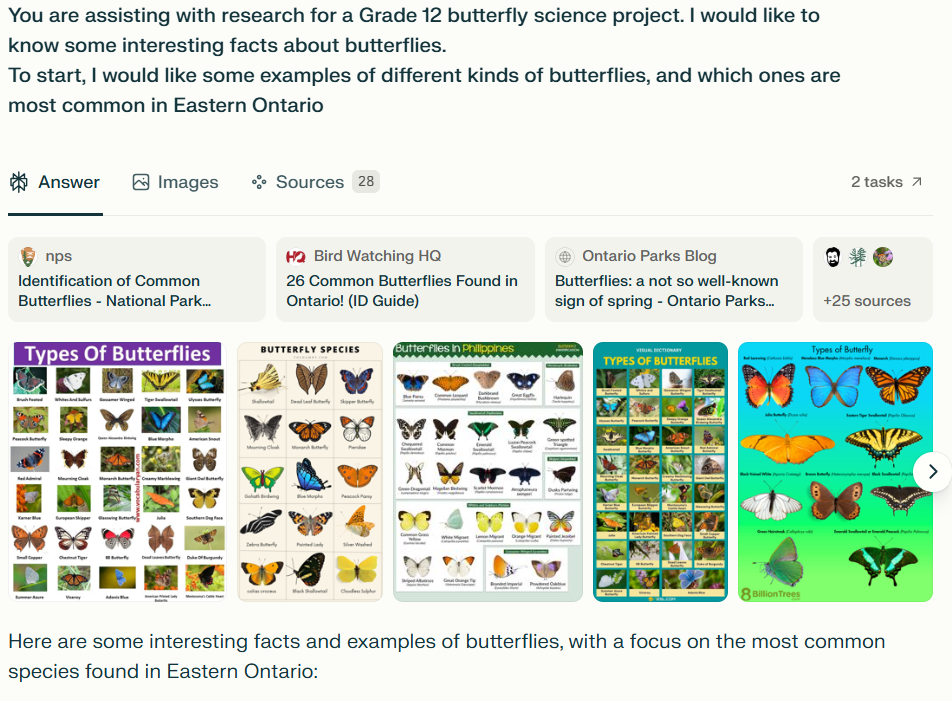
Write an Introduction
After doing some research, write the introduction.
The AI Assistant already knows we are working on a science project.
Describe the goal – “write the introductory paragraph” and then provide an example or describe in detail what you want the introduction to be about.
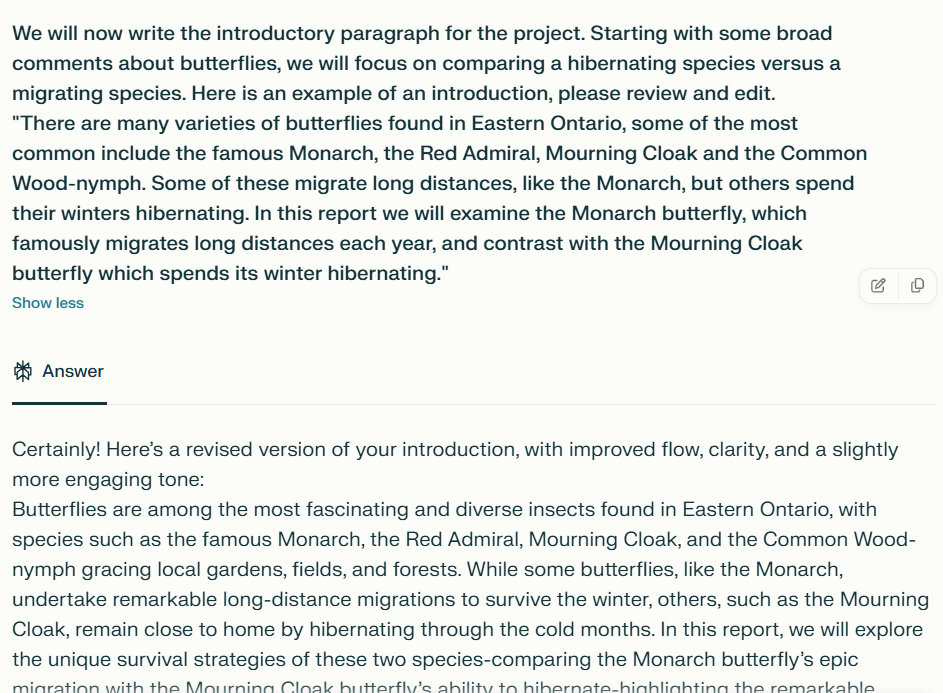
Time Saving Tip: You don’t need to spend a lot of time getting the wording right, focus on what it is you want to achieve and giving the AI Assistant an outline to work with.
Add Content
For each section of the project you can describe what you are looking for and the desired outcome.
Perplexity shows you the research its doing live, and then provides citations.
Tip: Make sure you review the content, suggest edits where appropriate and make it your own.
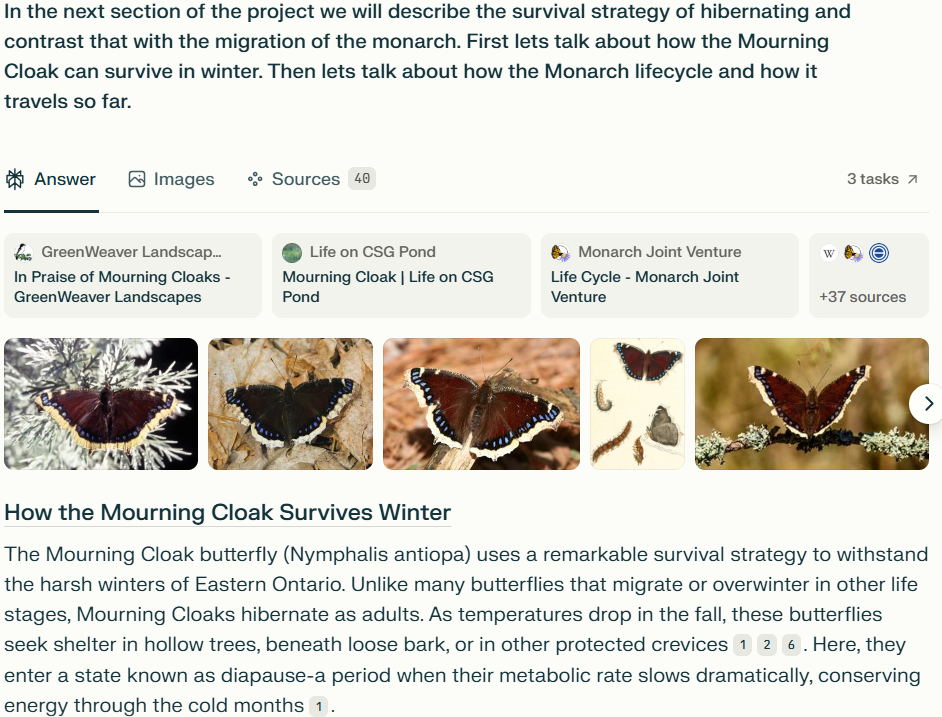
As you can see by using this approach you could complete the research and the project much more efficiently this way.
| Warnings | Review the content carefully—AI may generate incorrect or misleading information, known as “hallucinations.” Verify facts with trusted sources. |
| AI can sometimes present biased perspectives. Cross-check information from multiple sources to ensure accuracy. | |
| Avoid relying solely on AI-generated responses—always apply critical thinking and refine content as needed. | |
| Tips | Provide your own examples to shape the AI’s response and ensure relevance to your research. |
| Don’t stress about perfect wording—focus on giving clear guidelines, and let AI refine the phrasing. | |
| Be specific about which part of the report you’re working on (e.g., introduction, conclusion) and whether you need a longer or more concise version. | |
| Use AI conversationally—iterating and refining responses leads to higher-quality, tailored content. | |
| Experiment with different prompting techniques to explore various perspectives and deeper insights. |
Thinking Strategically
Strategic thinking provides a structured approach to interacting with an AI assistant, helping you refine prompts, tailor responses, and efficiently develop the content you need. By thoughtfully guiding the AI, you can ensure that the output aligns with your specific goals while optimizing the research and writing process.